
🎉 An events calendar your Slack community can actually see.
AMAs, workshops, office hours and meetups on one calendar every member can open. Reminders post to the channel before each event, so people show up without you posting three times.
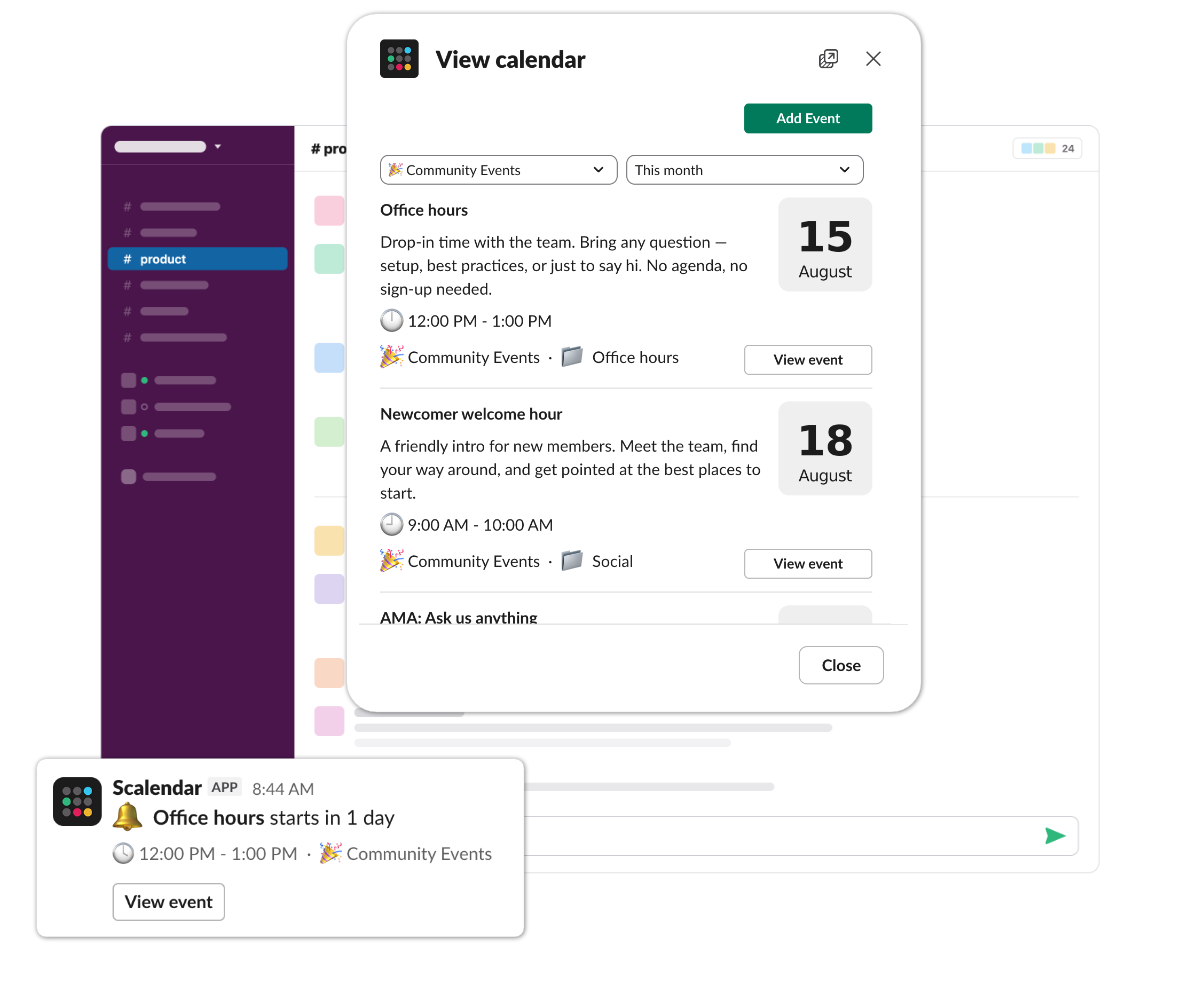
The workflow
Before & after Scalendar.
Without Scalendar
Your Slack community has 2,400 members. The next AMA is Wednesday. You announce it in #announcements, pin it for two days, then watch the reminder vanish into the scroll. Half your power users miss it.
- ✕Eventbrite for a free community AMA? Really?
- ✕Pinned messages that nobody re-reads
- ✕Reminders that depend on someone remembering to post them
With Scalendar
A Slack community events calendar in your community channel. Members see it on the App Home and get a channel reminder before each event.
- Open permissions — moderators can let trusted members add events
- Channel reminder before each event, posted in #community automatically — no one chasing announcements
- Every event card lands in the channel the moment it's added — the whole community sees the same dates, no DM-the-link follow-ups
On a community events calendar
What goes on a Slack community events calendar.
AMAs, workshops, office hours, meetups, anniversaries — the events your community shows up for. Each one pinned in your community channel, visible to the whole audience, with a channel reminder before it kicks off.
AMAs & fireside chats
Drop them in your community channel. Members get a reminder before it goes live.
Workshops & jams
Big enough to deserve their own announcement — and a calendar entry to match.
Office hours
A low-friction drop-in slot, pinned in your office-hours channel. Just show up.
Anniversaries & celebrations
The big set-piece events that hold a community together.
Cohort kickoffs
Welcome new members with a calendared "intro to the community" call.
Other ways teams use it.
All use casesLaunches & deadlines
Keep ship dates, code freezes, and demos visible to everyone.
Standups & rituals
Recurring sync, design crit, retro — pinned to the channel they happen in.
Vacation & PTO tracking
A shared #team-ooo calendar — who's off, when, and for how long.
Ready to try Scalendar for your community events?
Install in 30 seconds. Free for up to 2 calendars. No card required.
Add to Slack